
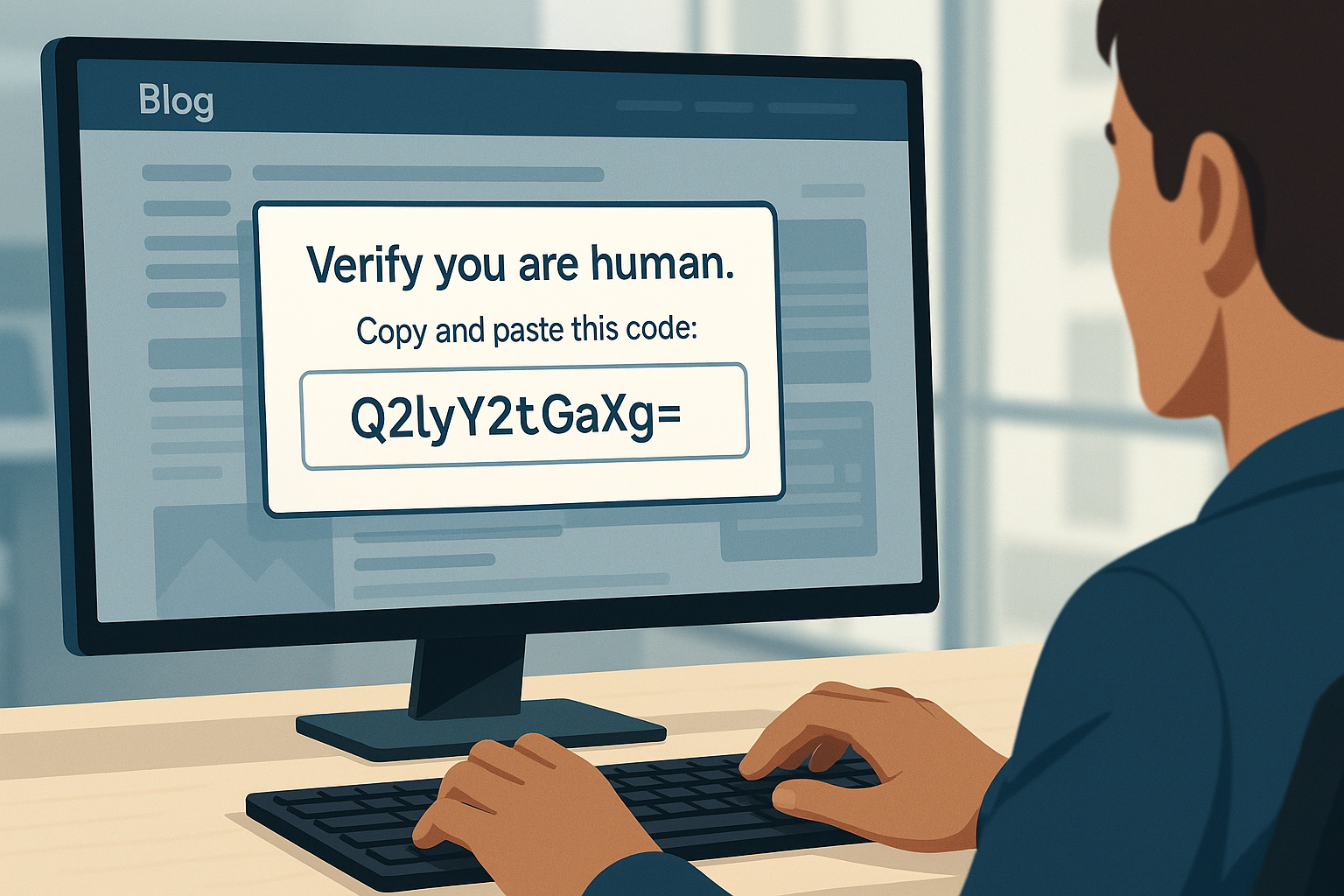
Most people have finally learned not to open random files or install programs from strange websites. That is real progress. The problem is that scammers have adapted. They have taken an old attack and reshaped it into something that blends into habits we barely think about, such as passing a CAPTCHA or completing a two-factor step. This newer version of the ClickFix scam feels routine, which is exactly why it works. As a computer repair business, we are seeing it more often, so here is a clear explanation of how it works and how to avoid it.
The older ClickFix method was easier to spot
The original version relied on fear. A website would loudly claim your computer had a fault. It would then mention corrupted files or pretend your system was failing, then guide you to open a powerful system tool using a keyboard shortcut that only IT professionals usually touch. Tools such as Command Prompt, PowerShell, and Terminal were never meant for everyday use, which is why the instructions stood out.
Once the tool was open, the page would display a block of characters for you to paste in. It never looked readable, just a jumble that appeared technical enough to trust. Pressing Enter quietly downloaded malware from a criminal server, and you never saw a pop-up or progress bar. The command was encoded so the real action was hidden from view.
Over time, people learned to ignore dramatic error messages. The scare tactics stopped working, so the scammers changed tactics.
The new version hides inside fake verification steps
Now, the scam appears inside something that feels legitimate. Instead of warning you about problems, the website pretends it needs to verify that you are a real person. It might look like a Cloudflare check, a Google-style CAPTCHA, or even a verification screen on a site that appears related to a hotel or booking service you actually use. Some victims even reach these pages through links sitting at the top of search results.
Everything looks normal until the page tells you to complete the verification by copying a code into Terminal, Command Prompt, or PowerShell.
Because we are used to extra login steps, the request feels like a mild inconvenience rather than a warning sign. That single line of encoded text is the attack. Once you paste and run it, the computer silently contacts a malicious server, downloads malware, and installs it without any visible sign.
Why this new approach works
People trust verification steps. CAPTCHA and two-factor checks appear on nearly every major site now, so they feel familiar, and scammers use that trust to their advantage.
Many people believe they are safe as long as they avoid suspicious downloads. This attack sidesteps that habit entirely, as you are not downloading a file yourself but running the command that fetches it for you.
Because the text is encoded, it looks harmless. Random characters do not raise suspicion. Your computer also treats the action as something you chose to do, which makes it harder for security tools to block.
What the malware does once installed
The malware that arrives through these commands usually aims to steal information. It can pull saved passwords from your browser, capture authentication cookies, or add remote access tools that allow someone else to connect later. Some versions turn your computer into part of a larger network used for other attacks.
Most victims notice nothing. Their computer behaves normally while sensitive information leaves in the background.
Where these fake pages appear
The links to these fake verification pages often come from places that seem trustworthy. Some arrive through hacked hotel or booking accounts containing real reservation data.
Others appear in ads at the top of search results or in routine-looking messages and emails. The scam spreads because the doorway into it feels familiar.
The simple rule that protects you
You do not need to memorize any technical details. Just remember this.
If a website tells you to open Terminal, Command Prompt, or PowerShell and paste in a code, close the page immediately.
No legitimate website will ever ask a normal user to do that as part of a CAPTCHA or verification step.
If you think you may have done this
Do not panic, but take action. Stop using the computer for banking or shopping until it has been checked. Change your passwords from another trusted device, then contact us so we can inspect the system properly and remove anything harmful.
The sooner we look at it, the easier it is to fix.
We can help keep you safe
The rule is simple. If a site tells you to open Terminal or Command Prompt and paste a code, stop right there. That is the attack. No legit company will ever ask you to do that for a CAPTCHA or verification.
Here is your quick move. If you already did it, change your passwords from another device and stop using that computer for banking until it is checked. It takes five minutes and saves you a lot of pain.
If you want peace of mind, we can help. We will scan your system, lock down your settings, and make sure nothing is hiding in the background. The sooner we look, the easier it is to fix.
👉 New to Borked PC? Start by filling out our quick Right Fit form to see if Borked PC could be the right IT and Cybersecurity Partner for you: Right Fit Questionnaire
📞 Or schedule a free 15‑minute call at a time that works for you: Book a call
Prefer to talk now? Give us a call at (610) 599‑6195.